How to Log In to Only-Men


HIGH DEF, HARDCORE, AND 100% MEN.
How to Log In to Only-Men
If you have already searched for “what is Only-Men,” this guide continues with the next step: logging in on desktop and mobile browsers. Accessing your Only-Men account is a fast and straightforward process, with only a few steps between entering your details and opening your anonymous profile or account settings. If your password has slipped your mind, the page will not load, or an error appears, use the steps below. You will also find quick help with email verification, password recovery, and a secure Only-Men sign-in.
Only-Men Login – Step-by-Step Guide
Visit the Only-Men login page through the official website and select the login option at the top of the homepage. Check that you are using the correct web address before entering your account details.
How to Access the Only-Men Login Page
- Open an updated browser on your computer, tablet, or phone.
- Enter only-men.com in the address bar. You can open the home page and select Login in the top-right corner.
- Confirm that the address uses https:// and that the domain is exactly only-men.com before entering any account details.
- Wait for the official sign-in form to load fully.
Entering Your Credentials
- Find the email and password fields in the login form.
- Enter the email address registered to your account.
- Type your current password carefully. Passwords are case-sensitive.
- Select Login to complete the Only-Men account login and access your account area.
Logging In on Desktop and Mobile Devices
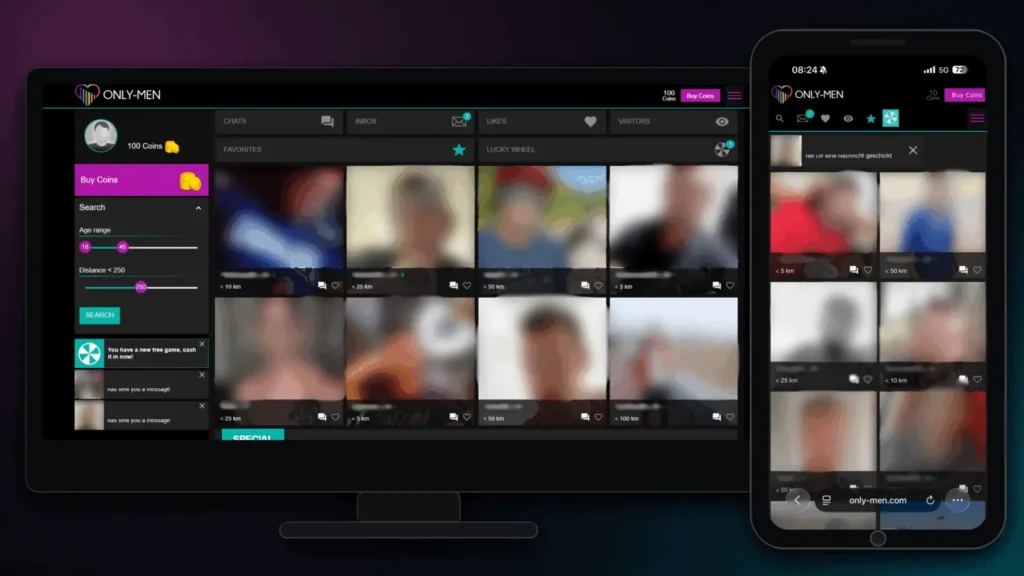
For desktop access, use a current version of Chrome, Firefox, Safari, or Edge. This reduces compatibility and authentication errors.
For mobile login, open the Only-Men site in your phone or tablet browser and use the same credentials. The site adapts to smaller screens, so the Only-Men sign-in requires no app.
How to Create a New Only-Men Account
To complete your Only-Men sign-up, open the registration form and enter the required details. You can also register with your Google account for a faster setup.
Only-Men Sign-Up Process
- Visit only-men.com and select the registration option.
- Choose an anonymous nickname. A real name is neither required nor recommended.
- Set your age and enter an email address that you can access.
- Create a strong, unique password and submit the Only-Men sign-up form.
- Alternatively, select Google and choose the Google account you want to use for registration.
Email Verification Steps
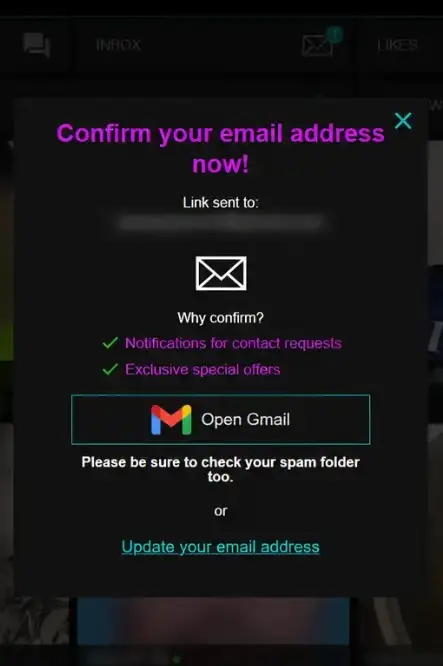
- Open the inbox used during registration.
- Find the Only-Men verification message. Check the spam or junk folder if needed.
- Open the message and select the verification link.
- Return to the sign-in page and use your registered email address and password to access your account.
Only-Men Login Problems and How to Fix Them
Most Only-Men login problems involve credentials, email verification, or the browser. Start with the solution that matches the error shown.
Forgot Password? How to Reset It
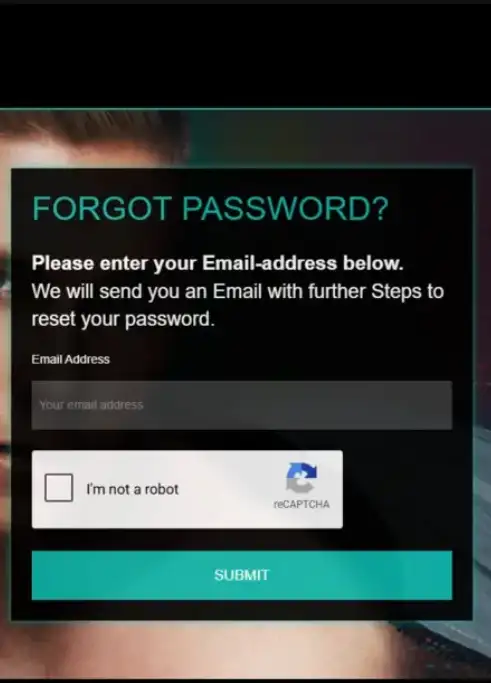
If you forgot your Only-Men password or cannot log in to Only-Men, follow these account recovery steps:
- Open the main sign-in form.
- Select Forgot Password? below the login fields.
- Enter your registered email address and submit the request.
- Check your inbox and spam folder for the Only-Men password reset email.
- Open the recovery link and create a new password.
- Save the change, return to the sign-in page, and log in with the new password.
Recovery links may expire. Request a fresh link if needed.
Incorrect Login Credentials
- Check the spelling of your email address.
- Confirm that Caps Lock is off, since passwords are case-sensitive.
- Remove extra spaces around copied credentials.
- Check whether your password manager filled in an older password.
- Use the Only-Men password reset option if you cannot confirm the current password.
Account Locked or Verification Required
Access may remain restricted until your email is verified. Find the latest activation message in your inbox or spam folder.
Repeated incorrect passwords may trigger a temporary cooldown. Wait 15 minutes, then try once more. If access remains blocked, use the official support option on the site.
Only-Men Login Page Not Loading
An Only-Men authentication error can come from browser data, an extension, a VPN, or outdated software. Try these steps:
- Clear cache and cookies: Remove stored data for only-men.com, reopen the browser, and reload the page.
- Disable extensions: Pause ad blockers, privacy extensions, or script blockers, then refresh.
- Check the VPN: Disconnect it or change servers if the request times out.
- Update the browser: Install the latest version of Chrome, Safari, Edge, or Firefox.
- Try a private window: This can identify problems caused by stored data or extensions.
- Change networks: Switch between Wi-Fi and mobile data if possible.
Is Only-Men Sign-In Safe?
HTTPS helps encrypt data sent between your browser and the official site. Secure login also depends on your password, device, and recovery email. See the Only-Men security page for more guidance.
Account Security and Privacy Tips
- Use a unique password: Mix upper- and lowercase letters, numbers, and special characters. Do not reuse it elsewhere.
- Keep your nickname anonymous: Exclude names, contact details, and identifying information.
- Check for phishing: Do not send a password by email or third-party message. Confirm the address is only-men.com first.
- Protect recovery access: Secure the email account connected to your profile.
- Log out on shared devices: End the session after using a public or shared device.
- Check payment guidance separately: The Only-Men payments page covers billing options and other payment-related guidance for signed-in users.
HIGH DEF, HARDCORE, AND 100% MEN.
Frequently Asked Questions About Only-Men Login
Enter only-men.com directly in your browser and select Login. Check that the page uses HTTPS and the domain is spelled correctly before entering your login credentials.
Yes. Open the Only-Men website in an updated mobile browser and use the same registered email address and password used on desktop. No app is required.
Select “Forgot Password?” on the sign-in form, then enter your registered email address. Open the Only-Men account recovery email, set a new password, and return to the site to sign in.
Check the spam, junk, and promotions folders, then confirm that you entered the registered email address correctly. Wait a few minutes before requesting another link, and use the newest message if several arrive.
Several incorrect password attempts may trigger a temporary cooldown. Wait 15 minutes, check the credentials, and try again once. Use password recovery or the official site support option if access remains blocked.
Email verification may be required before full access to the Only-Men account becomes available. Open the latest activation message, select the link, and return to the sign-in form.
Discover related articles